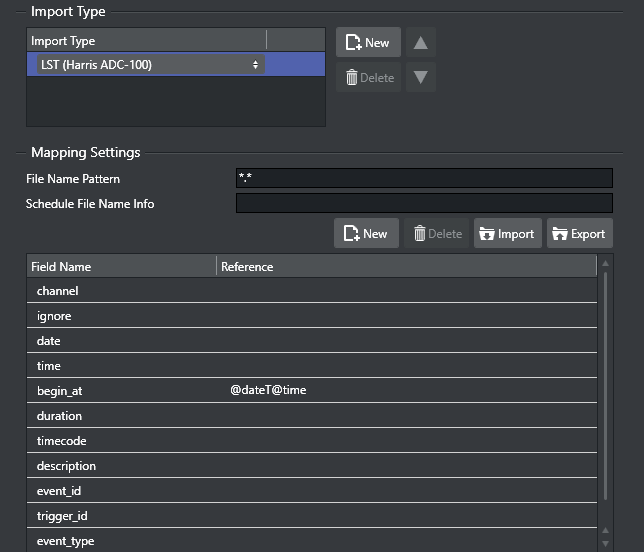
Harris ADC-100 automation system users can import Harris ADC-100 schedules as binary *.lst and *.rcv files.
Info: *.rcv files are generally only used when it is necessary to receive last-minute updates from the Harris automation system.
Prerequisites
A schedule must be available in the required format - LST (Harris ADC-100).
A channel has been created.
To import LST format files for Harris ADC-100
Open the Settings window and scroll down to Schedule Import section.
Navigate to General Settings and set Channel Name in Schedule.
Select the Mapping Settings section and set Import Type to LST (Harris ADC-100).
Mapping Table: As LST-files are hard-coded there is no requirement to have any fields pre-mapped.
Set the Code Page, seen under the LST Import Settings section.
Click OK.
Click the Import Schedule button, select your schedule file and click Open.
This will import the schedule and create a playlist.
Note that you may not have all the secondary elements (i.e. pages) in your playlist. Check the schedule in your Harris system for secondary elements and Create the pages required and perform an Update of your playlist.Right-click your playlist (for example Continuous Playlist) and select Update Playlist.
Select your schedule file and click Open.
To manage duplicate LST Reconcile keys
In case of duplicate reconcile keys in the LST file, you can generate a unique instruction by using combination mapping.
The screenshot below is an example of creating a unique instruction by concatenating the segment and ReconcileKey, and then use it as event_id.

Info: The fields used for concatenation (segment and ReconcileKey in the screenshot above) must be defined before the concatenating field (SegmentAndRKey).