In Viz Pilot Edge, it is possible to open Viz Multiplay templates for video walls. These templates are standard Viz Pilot Edge templates, but they have two key differences:
They include a selector that defines the layout of the video wall.
The fields in a Viz Multiplay Preset template are not traditional inputs (text, images, or numbers), instead, they allow to select graphics, images, videos, or live sources.
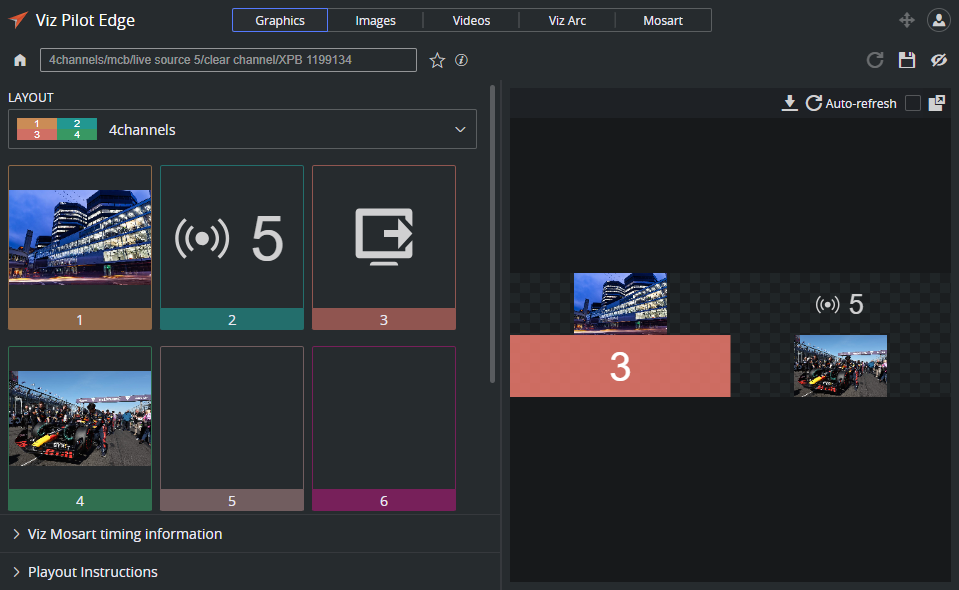
The Preset Selector
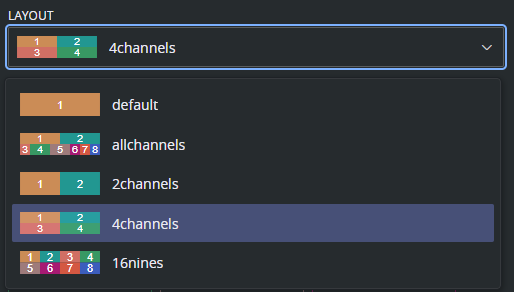
At the top of the Viz Multiplay template, there is a layout selector if the template contains multiple layouts:
The Content of Each Channel
Each channel in a layout can be filled with content such as graphics, images, videos, live channels, or an out action to clear the channel. Leaving a superchannel empty is interpreted as ignore, meaning the current content in the channel remains unchanged.
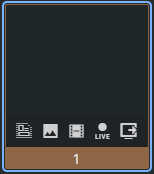
Each superchannel field in the template includes the following options:
Graphics: Select graphics to display in the channel. This can be either an existing data element or a template that needs to be filled out.
Images: Browse and select an image to display. The image can be cropped with the image editor.
Videos: Browse and select a video clip to play in the channel.
Live: Select a live input source. The actual content depends on how input channels are configured on the Viz Engine playout machine.
Out: Clears the channel by taking the current content out.