The Viz Mosart Timing Panel is now integrated directly into Viz Pilot Edge, eliminating the need to embed the timing UI within individual templates.

Historically, Viz Mosart timing information was stored directly within data elements, meaning each element had a fixed timing configuration. With the introduction of the Viz Mosart Timing Information mechanism, timing is now transmitted only via the generated MOS XML. This change delegates the lifetime and ownership of the timing data to the newsroom system, enabling one data element to be reused with varying in/out points in different rundowns.
This section contains the following topics:
Configuration
The Viz Pilot backend must be aware of available Viz Mosart destinations. These must be configured manually via Template Builder:
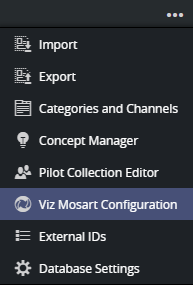
Open Viz Mosart Configuration from the Template Builder tools menu.
Optional. Add groups if you have multiple Mosart configurations.
Add Viz Mosart destinations to match your Viz Mosart system. A destination consists of a Channel and an optional Description. The description is used in the UI only.
Note: One default destination called [FULL] is represented internally as an empty string (""). This indicates the graphic is a primary full-screen event, not a secondary event, and therefore cannot have timing information in a Viz Mosart system.
Enable the timing panel using:
Use Viz Mosart Timing Panel: Displays the panel at the bottom of regular Viz Pilot Edge templates.
Use "Is Locator": Includes a checkbox in the timing panel to set the "Locator" flag.
Info: In Viz Mosart, a Locator is a graphic linked to a video switcher crosspoint. Taking the crosspoint (as a switcher or keyed crosspoint) also takes the graphic.
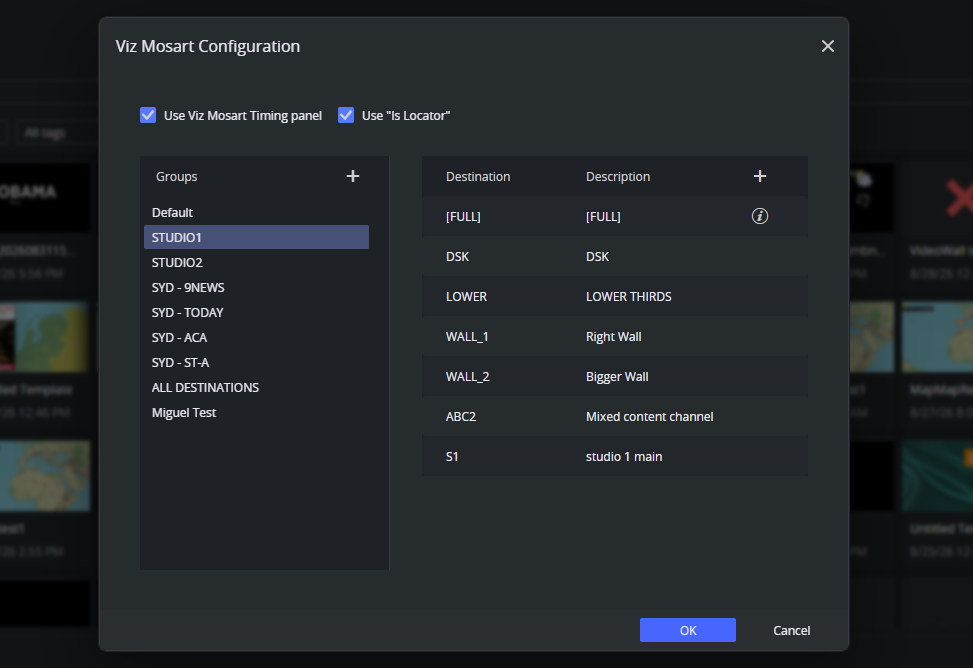
When the configuration is saved, the Viz Mosart Timing Panel becomes visible in all applicable Viz Pilot Edge templates.
Note: The [FULL] entry is mandatory. It results in an empty <channel> field in the MOS XML and disallows timing, as full-screen graphics are treated as primary events.
MOS XML
When Viz Mosart Timing Panel is enabled, timing data is not stored in the data element but included in a mosExternalMetadata block within the generated MOS XML:
<mosExternalMetadata> <mosScope>PLAYLIST</mosScope> <mosSchema><http://www.vizrt.com/mosObj/mosart</mosSchema>> <mosPayload> <channel>DSK1</channel> <start>00:10</start> <duration>00:05</duration> <inMode>auto</inMode> <outMode>auto</outMode> <isLocator>false</isLocator> </mosPayload></mosExternalMetadata>Notes:
Timing information is not persisted in the data element itself.
The newsroom system retains control over timing.
Older mechanisms (for example, storing timing in the
mosartfield or description) remain supported.
Customization through Scripting
You can use scripting to tailor the behavior of the timing panel, per template.
For script support, see