To start and run Viz Artist, a Graphic Hub must also be available. Viz Artist can also be started with certain options enabled or disabled, by passing selected Viz Command Line Options on start.
This section contains information on the following topics:
Starting Viz Artist
To use Viz Artist, a connection to a Graphic Hub needs to be established. See Working with Graphic Hub for details.
Start Viz Artist.
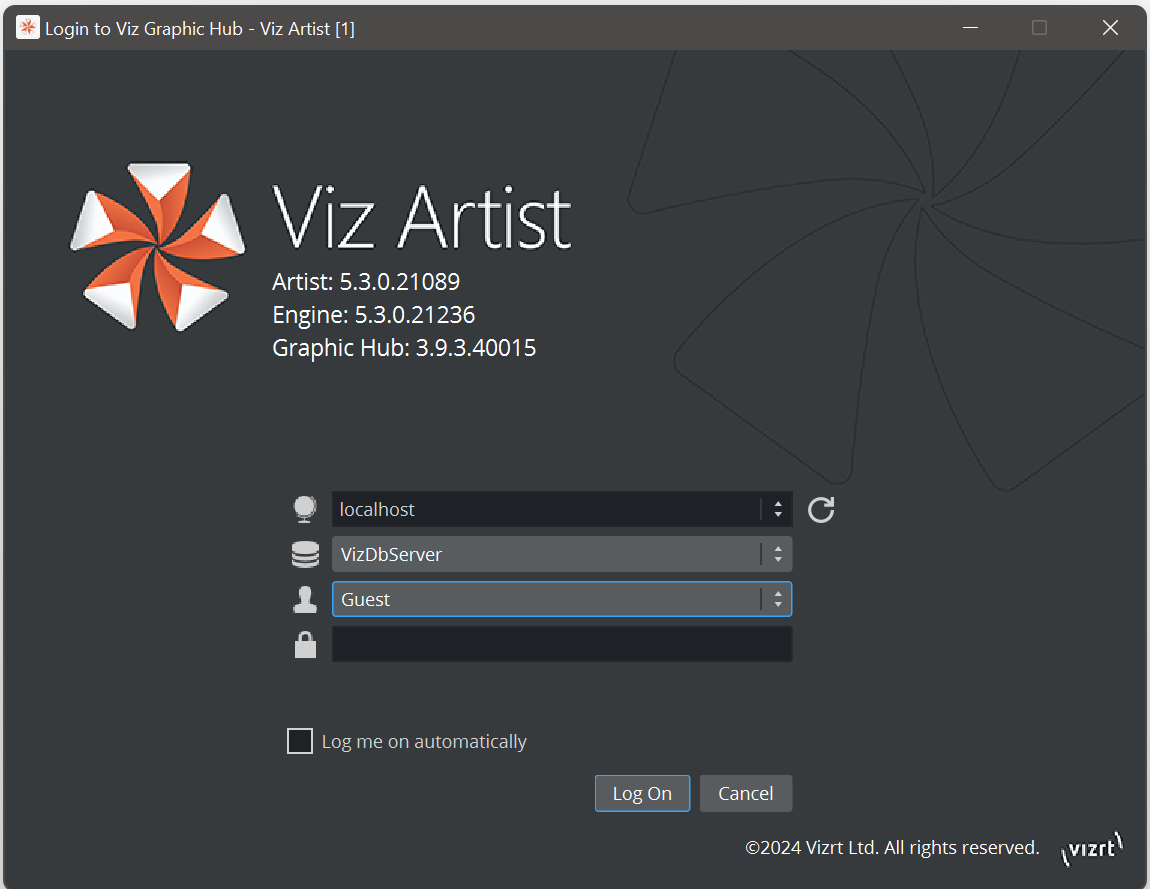
In the Graphic Hub login window, enter the required details and click on the Log On button.
Viz Configuration
Viz is mainly configured by the Viz Configuration panel (see the Configuring Viz section of the Viz Engine Administrator Guide).
All configuration settings are stored in a configuration file, found in the <viz data folder>. The name of the Viz configuration is called: VizEngine-{instance }.cfg, where instance is a zero-based index of the instance being used.
IMPORTANT! Folder, File and Path Naming Convention: Do not use the Hash tag (#) in any folder, file or path name. If used in Folder, File and Path Names, text after a Hash tag is ignored.
To Add a Viz Artist Startup Option
Open the Viz Artist Properties panel:
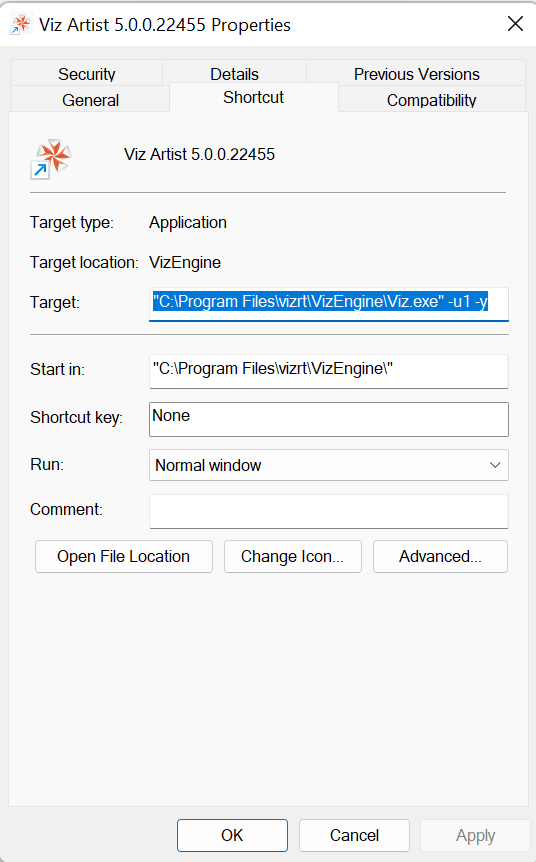
Right click the desktop icon and select Properties in the context menu UNKNOWN_ATTACHMENT, or
Right click the Viz Artist shortcut under the Windows Start menu and select Properties in the context menu.
In the Properties window, apply a command in the Target field (see Viz Command Line Options).
Example: “<viz install folder> viz.exe” -n -u1 -y
Click OK.
Start Viz Artist.
Close and Restart
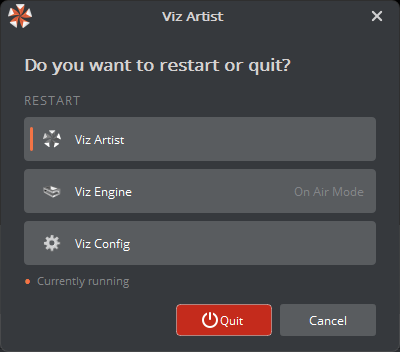
Sometimes a user wants to restart the application in a certain mode, e.g. after reconfiguring.
Beside simply closing the application (Quit), one can choose to restart either into
Viz Artist mode (Viz Engine + Viz Artist Gui)
Viz Engine (Viz Engine with OnAir GUI)
Viz Config (Viz Engine in Configuration mode)
The current mode is indicated with a small orange line.
If you want to restart Viz Engine without any GUI (Console only) , press Shift and “Viz Engine”
See Also
Configuring Viz section of the Viz Engine Administrator Guide.