A Gaussian splat does not store one color per point. It stores a color that changes with the viewing angle, and spherical harmonics are how that change is encoded. They are what makes a captured surface look wet, glossy or metallic as the camera moves past it — and they are by far the most expensive thing a splat carries.
What the harmonics do
Every splat has a base color that looks the same from everywhere. On top of that, a splat can carry a set of spherical harmonic coefficients: a compact description of how its colour varies over the sphere of directions you could look at it from. At render time the engine evaluates that description for the current view direction and adds the result to the base colour.
Without them, a captured scene renders flat and matte — correct in shape, but with every highlight frozen wherever the capture happened to put it. With them, highlights travel across the surface as the camera moves, which is usually the difference between a splat that reads as a photograph and one that reads as a point cloud.
The harmonics are organized in bands, and the band count is the degree. Each further degree adds finer angular detail, and costs more coefficients than the one before it.
Degree 0 | Degree 1 | Degree 2 | Degree 3 |
|---|---|---|---|
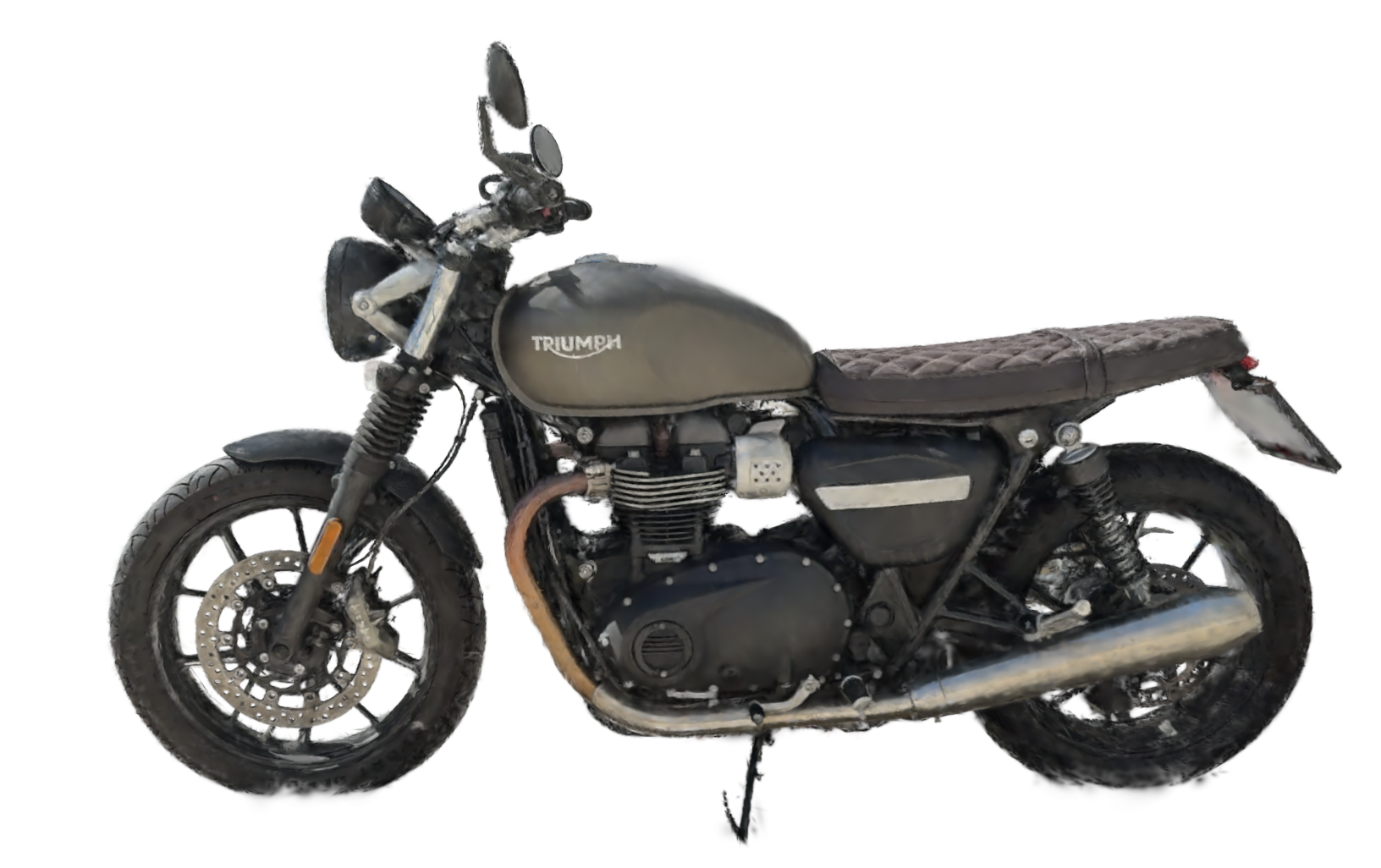 | 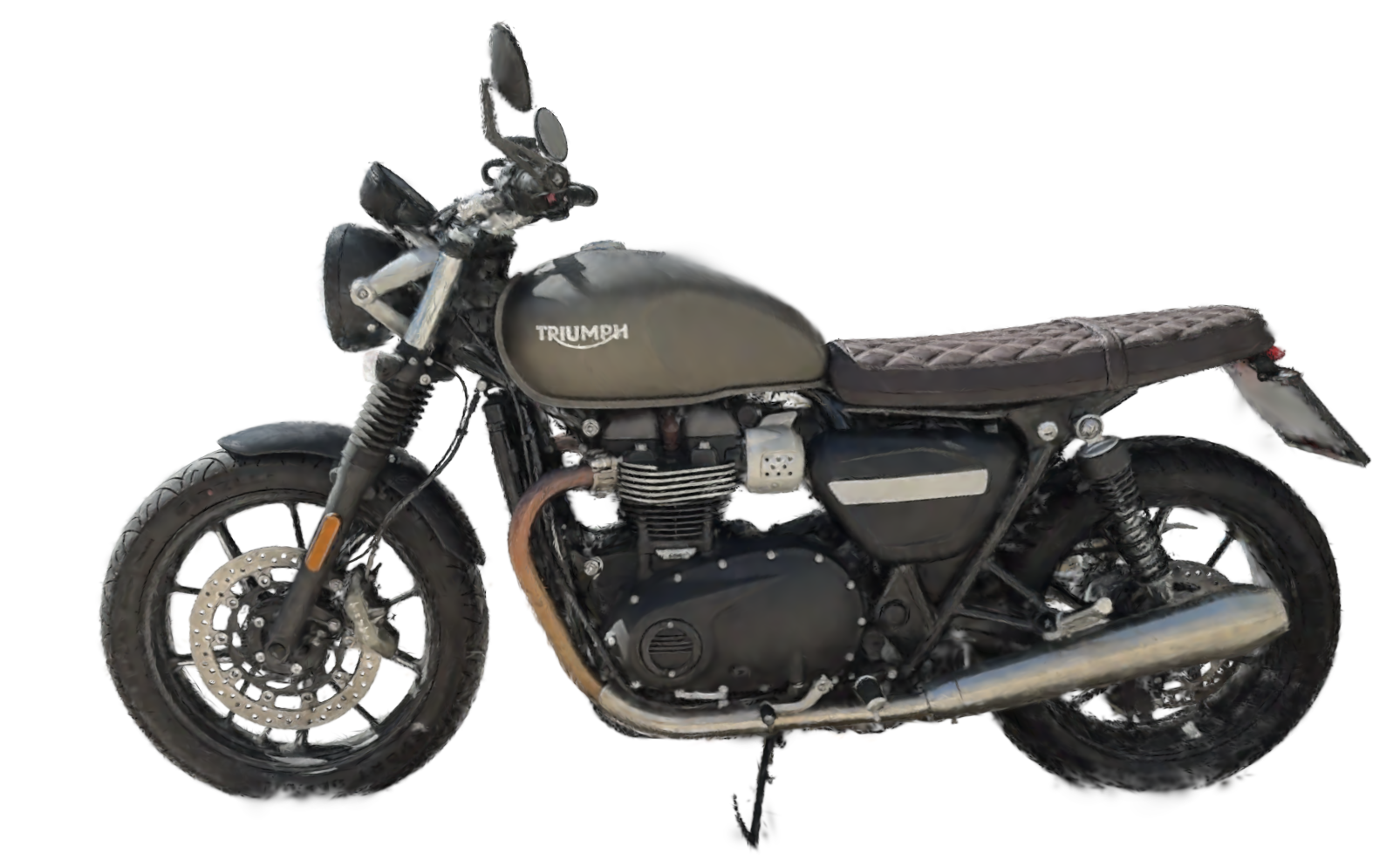 | 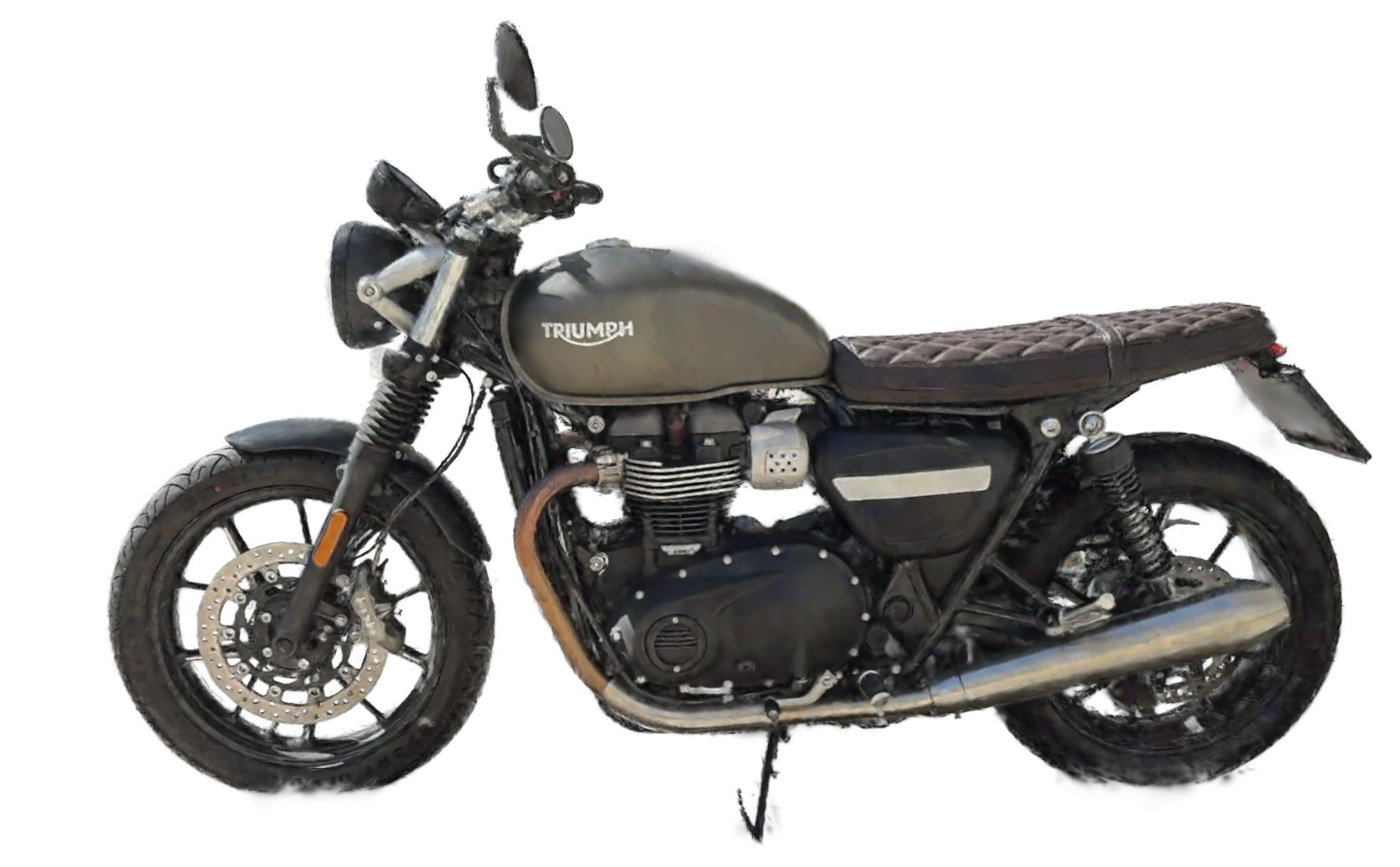 |  |
0 coef. | 9 coef. | 24coef. | 45coef. |
The three properties
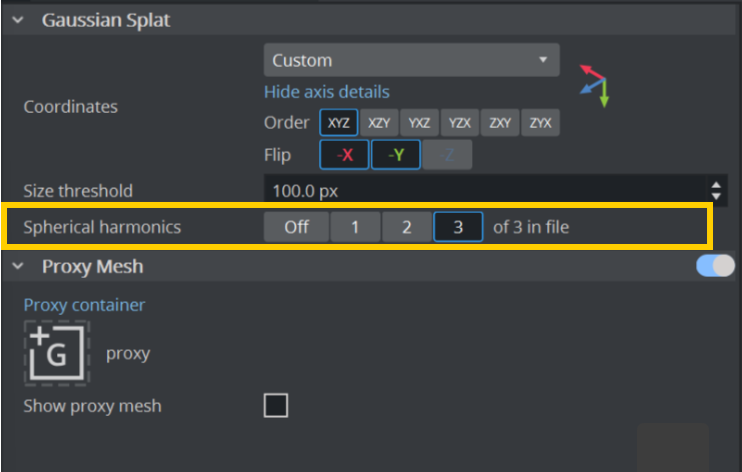
Spherical harmonics are controlled on the splat geometry, not on the container. The geometry has to be local to the scene before its properties can be reached — in Viz Artist, split the geometry off the shared Graphic Hub object first.
Splat geometry — spherical harmonic properties | |||
Shown as | Range | Default | What it does |
|---|---|---|---|
Model SH order (Degree) | 0 – 3 | — | The degree the loaded model actually carries. This is the ceiling: a requested degree above it has no effect. |
Spherical harmonics | on / off | on | Whether the harmonics are carried through to the octree and uploaded to the GPU at all. Switching this off is the only way to stop paying for them in memory. |
SH degree | 0 – 3 | 3 | How many bands the renderer evaluates each frame. Clamped to Model SH order. Lowering it costs no memory and saves no upload — it only changes what is evaluated. |
There is a fourth control, and it sits somewhere else: the import task has its own SH option, on by default. Turning it off drops the harmonics before the model is encoded, so they never reach Graphic Hub at all.
Switching Spherical harmonics off on a geometry is reversible. Importing without them is not.
The geometry keeps the imported levels in their stored, compressed form, harmonics included. Turning the property back on rebuilds from those, so nothing is lost. Turning the option off at import time means the harmonics were never written — the only way back is to import the file again.
What they cost
The harmonics are not a little extra on top of a splat. At degree 3 they are the overwhelming majority of it: 45 coefficients plus padding, stored as twelve four-component vectors per splat. Every other attribute a splat carries — its position, its scale, its rotation, its base colour, its opacity — fits in a single one.
Because the difference is this large, the engine keeps two separate splat buffers per scene — one for splats that carry harmonics and one for splats that do not — so a model with the harmonics switched off never reserves space in the expensive buffer. The plain buffer also starts four times larger (one million splats against 256 thousand); both grow on demand as the scene fills them.
Choosing what to switch off
Need the memory back? Switch Spherical harmonics off, or re-import with the
SHoption off for a permanent saving on disk and in Graphic Hub as well.Need render time back? Lower SH degree. Degree 1 or 2 keeps the sense of a surface reacting to the camera at a fraction of the per-frame evaluation, and the memory is untouched either way.
Working with a very large capture? Import without harmonics from the start. A single harmonic channel that would need more than 4 GiB cannot be written in one block, and the import reports the level it had to skip.
If something looks wrong
The model renders flat, but SH degree says 3
Read Model SH order. A model exported without harmonics reports 0, and the requested degree is clamped down to it. The fix is a new export of the source capture, not a setting.Turning Spherical harmonics back on changed nothing
The model was imported with the task'sSHoption off, so there is nothing stored to restore. Import the file again with the option on.Lowering SH degree freed no memory
Expected. The degree only controls what is evaluated per frame; the coefficients stay resident. Switch Spherical harmonics off instead.The import logged a level it could not encode
A harmonic channel exceeded the 4 GiB a single stored block can describe. Re-import withSHoff, or split the capture into more, smaller levels.The scene loads, the splats are there, the gloss is gone
Check Spherical harmonics on the reloaded geometry — the property is saved with the scene, so an off state travels with it.