Viz Ticker User Guide
Version 3.1 | Published May 27, 2020 ©
Listing and Triggering Actions
The generic API call format to list all Ticker actions is:
GET http://[host]:[port]/actionsExample
curl -X GET http://localhost:8580/actionsReceive formatted XML:
curl -X GET http://127.0.0.1:8580/actions/ | tidy -xml -i -w 0Controlling the Ticker Actions with REST Calls
Assuming you have a Ticker on program with a Ticker carousel named NEWS you can switch the system On with:
curl -X POST http://localhost:8580/actions/Main%20ticker%20system%20on curl -X POST http://localhost:8580/actions/Main%20program%20on curl -X POST http://localhost:8580/actions/Main%20NEWS%20inAnd you can turn the ticker Off with:
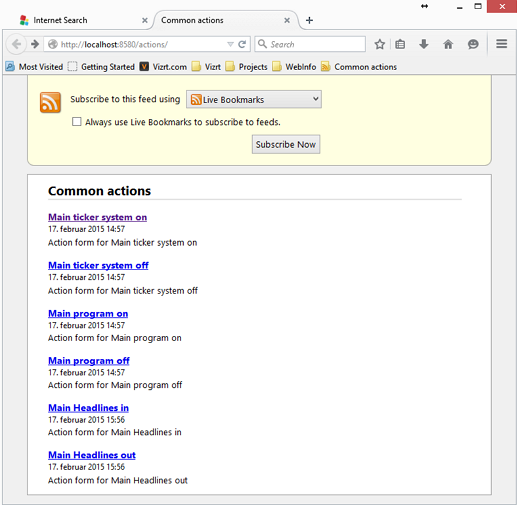
curl -X POST http://localhost:8580/actions/Main%20NEWS%20out curl -X POST http://localhost:8580/actions/Main%20program%20off curl -X POST http://localhost:8580/actions/Main%20ticker%20system%20offAn alternative to curl is to use a browser to parse the received XML for actions, as illustrated in the screenshot below using Firefox: