Viz Engine supports importing splat files in the following formats:
sog (Spatially Ordered Gaussians) | A highly compressed file format used for 3D Gaussian Splatting data |
ply (Polygon File Format) | A 3D data file that stores the positions, colors, shapes, and transparency values of thousands of tiny overlapping light points |
To import these file types, follow the normal import workflow or drag & drop them into Viz Artist Asset view.
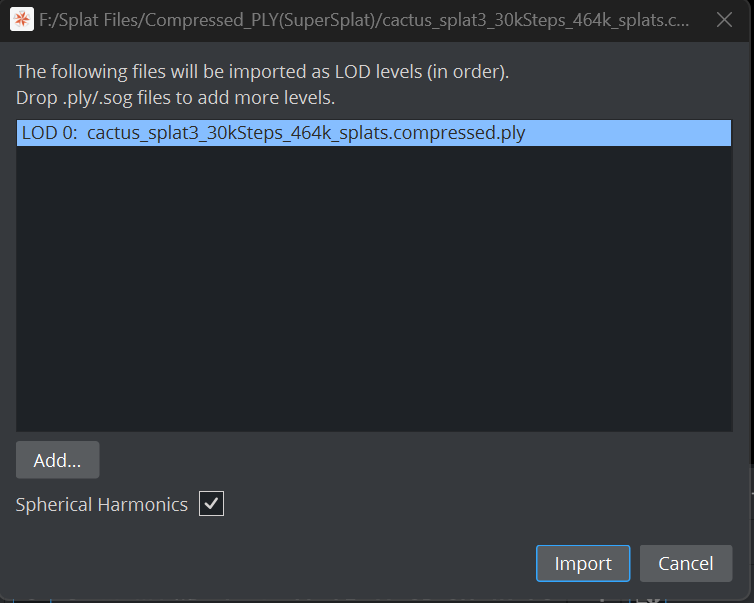
Spherical Harmonics: See Spherical Harmonics
The import dialog lets you add multiple Level Of Details LOD files.
Make sure they are in correct order.
Importing can take a while and as this is a background task, there is no visual feedback until the imported file shows up as new geometry inside the asset view.
Once the import is finished, you’ll see a new Geometry asset in your Asset view. Simply drag it to your scene tree to start rendering.